
Nova Polymorphic Field



Description
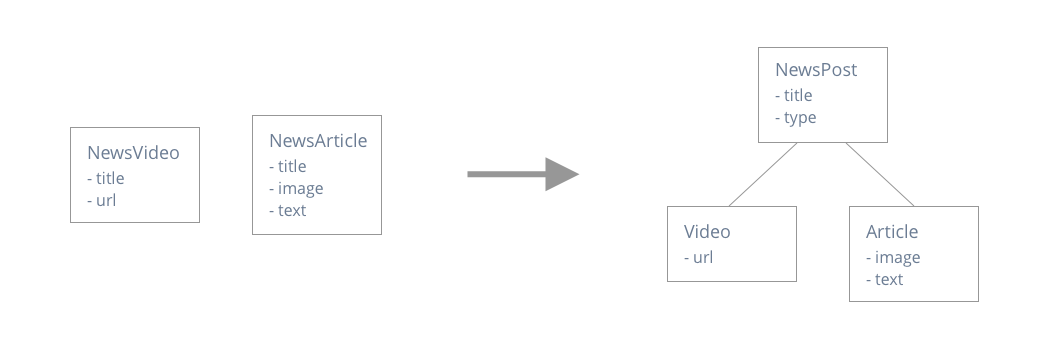
A Laravel Nova field that allows you to create a collection of polymorphic resources.
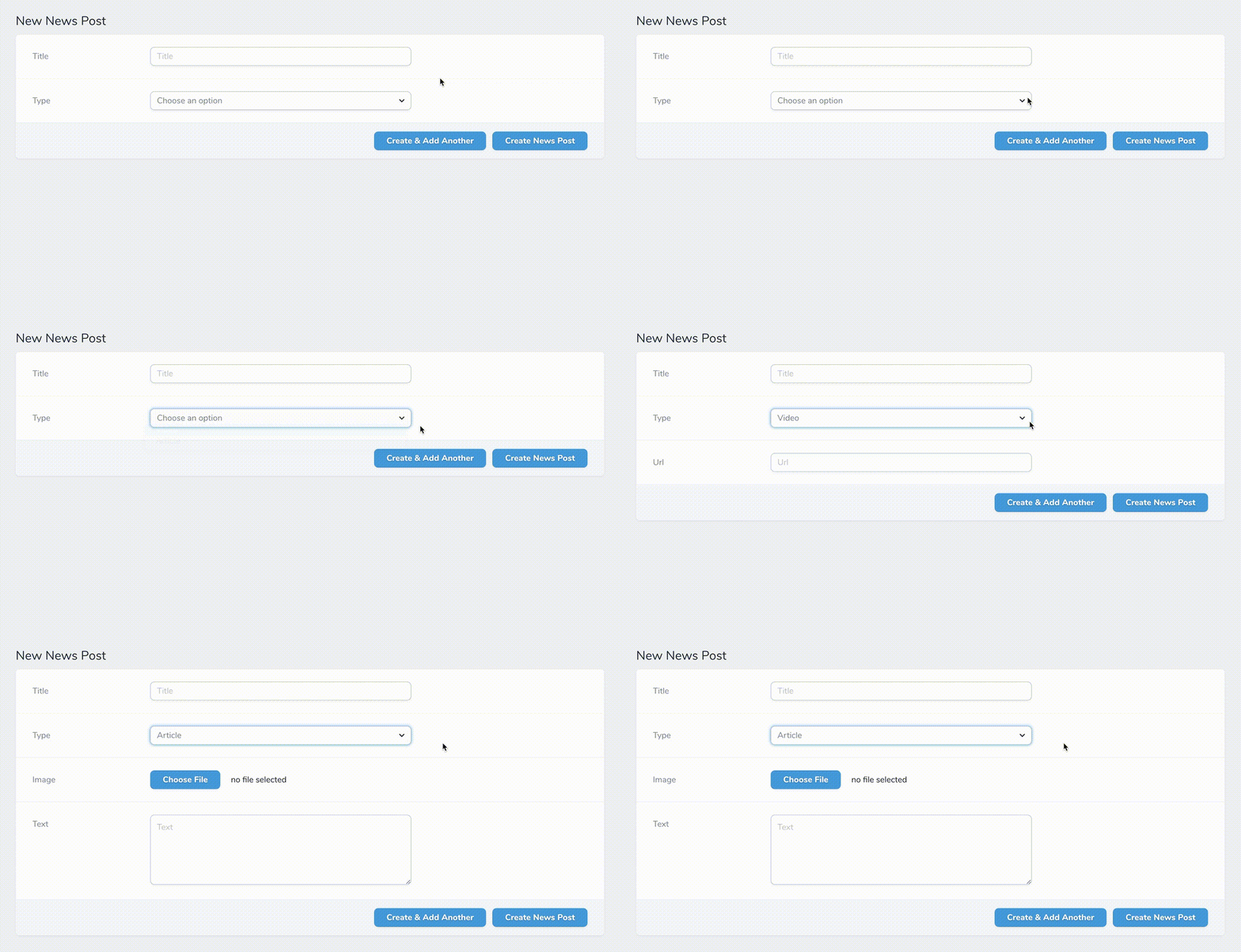
Depending on the polymorphic type you select:
- Different fields will be populated on the form/detail page of your resource.
- Records will be automatically created/updated in the corresponding tables.
Demo
Installation
The package can be installed through Composer.
composer require michielkempen/nova-polymorphic-fieldUsage
- Add a
morphsfield to the migration of your base model. - Add the
MichielKempen\NovaPolymorphicField\HasPolymorphicFieldstrait to your Nova Resource. - Add the
MichielKempen\NovaPolymorphicField\PolymorphicFieldto your Nova Resourcefieldsmethod. - Specify the different polymorphic types by calling the
type($name, $modelClass)method on thePolymorphicField.- The
$nameparameter is a readable name you assign to your polymorphic type. - The
$modelClassparameter is the class of the polymorphic model.
- The
Example
Migrations:
Schema::create('news_posts', function (Blueprint $table) {
    $table->increments('id');
    $table->string('title');
    $table->morphs('type'); // !!
    $table->timestamps();
});

Schema::create('videos', function (Blueprint $table) {
    $table->increments('id');
    $table->string('url');
});

Schema::create('articles', function (Blueprint $table) {
    $table->increments('id');
    $table->string('image');
    $table->text('text');
});
Resource:
class NewsPost extends Resource
{
    use HasPolymorphicFields;

    public function fields(Request $request)
    {
        return [

            Text::make('Title'),

            PolymorphicField::make('Type')
                ->type('Video', \App\Video::class, [

                    Text::make('Url'),

                ])
                ->type('Article', \App\Article::class, [

                    Image::make('Image'),

                    Textarea::make('Text'),

                ]),

        ];
    }
}
You can optionally hide the type selection when updating a resource. This can be useful if you don't want the user to be able to change the Type of a polymorphic relationship once it has been created.
class NewsPost extends Resource
{
    use HasPolymorphicFields;

    public function fields(Request $request)
    {
        return [
            ...
            PolymorphicField::make('Type')
                ->type('Video', \App\Video::class, [
                    Text::make('Url'),
                ])
                ->type('Article', \App\Article::class, [
                    Image::make('Image'),
                    Textarea::make('Text'),
                ])
                ->hideTypeWhenUpdating(),
            ...
        ];
morphMap
By default, the fully qualified class name of the related model will be stored as type field in the base model. However, you may wish to decouple your database from your application's internal structure. In that case, you may define a relationship "morph map" to instruct Eloquent to use a custom name for each model instead of the class name:
use Illuminate\Database\Eloquent\Relations\Relation;

Relation::morphMap([
    'article' => \App\Article::class,
    'video' => \App\Video::class,
]);
You may register the morphMap in the boot function of your AppServiceProvider.
License
The MIT License (MIT). Please see License File for more information.
