Laravel Community Tools by Tighten
Laravel Nova icon Nova Packages
N

Servitor Website Card

Installation Instructions

Nova Servitor Website Card

Simple card for Laravel Nova to show your website/monitor stats from Servitor.io
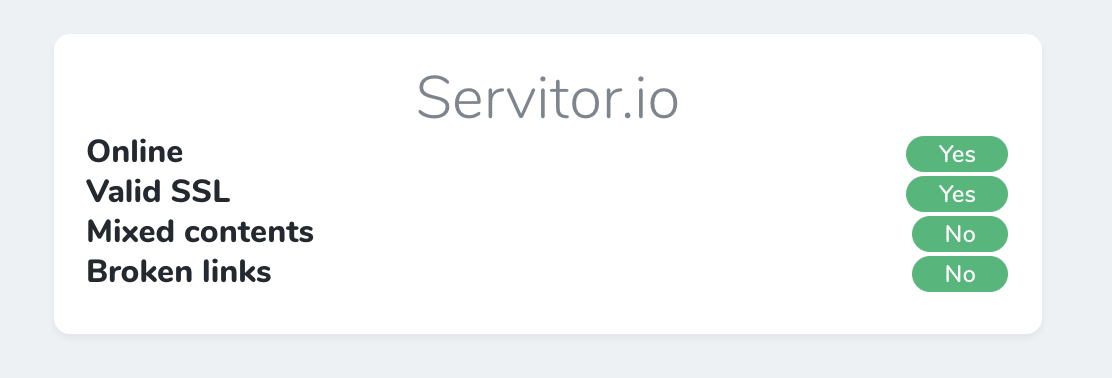
Servitor Website Card

Installation

First you should require this package in your composer.json file, you can do this be executing the following command:

composer require servitorhq/nova-servitor-monitor-card

After that you should add the following details to your config/services.php file:

  'nova_servitor_cards' => [
         'api_key'   => env('SERVITOR_API_KEY'),
     ],

And finally, add the SERVITOR_API_KEY value to your .env file. Your api key can be found here.

Usage

After that you need to add the card in either your NovaServiceProvider.php file or a resource. To show it on your dashboard you should add it to your service provider like so:

    /**
      * Get the cards that should be displayed on the Nova dashboard.
      *
      * @return array
      */
     protected function cards()
     {
         return [
             (new NovaServitorMonitorCard())->setMonitor('servitor.io'),
         ];
     }

Do not forget to set the desired website using ->setMonitor('mydomain.tld').

Please note: mydomain.tld should be a valid monitor on Servitor.io. If you don't have an account yet you can register here for free. ?

Bugs / Issues / Ideas

Please create an issue using the issue tracker or drop us an email.

Readme

Nova Servitor Website Card

Simple card for Laravel Nova to show your website/monitor stats from Servitor.io

Servitor Website Card

Installation

First you should require this package in your composer.json file, you can do this be executing the following command:

composer require servitorhq/nova-servitor-monitor-card

After that you should add the following details to your config/services.php file:

 'nova_servitor_cards' => [
        'api_key'   => env('SERVITOR_API_KEY'),
    ],

And finally, add the SERVITOR_API_KEY value to your .env file. Your api key can be found here.

Usage

After that you need to add the card in either your NovaServiceProvider.php file or a resource. To show it on your dashboard you should add it to your service provider like so:

   /**
     * Get the cards that should be displayed on the Nova dashboard.
     *
     * @return array
     */
    protected function cards()
    {
        return [
            (new NovaServitorMonitorCard())->setMonitor('servitor.io'),
        ];
    }

Do not forget to set the desired website using ->setMonitor('mydomain.tld').

Please note: mydomain.tld should be a valid monitor on Servitor.io. If you don't have an account yet you can register here for free. 😄

Bugs / Issues / Ideas

Please create an issue using the issue tracker or drop us an email.

Back to Top
Added 7 years ago
Last updated 7 Years Ago
Version 0.0.8
Composer
servitorhq/nova-servitor-monitor-card
GitHub stars 5
Packagist downloads 1,055

Favorites

0 users favorited

Rating

N/A
(out of 5)
★★★★★
★★★★
★★★
★★
★
0 ratings

Author

Brought to you by Tighten

Issues/Feature Requests Stats Package Ideas